
Turn repetitivework intointelligent systems.
We help businesses take the repetitive work off people’s desks by connecting the tools, information and communication they already rely on.
Automation is more
than a button.
It is the simple stuff that happens every day: a customer sends a message, a record gets created, the right person gets notified, and the next step is already waiting.
We look at how your business actually works, then build around that. No forcing your process into a software template just because the template exists.
It should help businesses get work done.

A typical connected journey / designed around the way you work
Digital first.
Intelligent where it matters.
You do not need AI for everything. Sometimes the biggest improvement comes from getting your information into one place and making your existing tools talk to each other.
Digitise
Replace paper, spreadsheets and scattered records with simple digital systems your team can actually use.
Connect
Connect the apps you already use so information does not have to be copied from one system to another.
Automate
Set up rules and triggers so routine tasks happen at the right time without someone having to remember them.
Intelligent
automation
Use AI when a task needs interpretation, sorting, drafting or a bit of judgement, with people still in control of important decisions.
The whole process.
Not just one conversation.
A useful system connects the workflow, the data, the messages and the people behind them.
Workflow automation
- Process automation
- Trigger / action workflows
- Scheduled workflows
- Event-driven workflows
- Approval workflows
- Multi-step automation
AI automation
- AI assistants
- AI agents
- AI classification
- AI content generation
- AI document processing
- AI decision support
Communication
- WhatsApp automation
- Email automation
- Customer notifications
- Internal notifications
- Reminder systems
- Automated responses
Data
- Data processing
- Database workflows
- Record synchronisation
- Data transformation
- Automated reporting
- Dashboard updates
Integrations
- REST APIs
- Webhooks
- Payment systems
- CRM systems
- Forms
- External services
Business intelligence
- KPI workflows
- Automated reports
- Operational alerts
- ROI dashboard architecture
- Activity summaries
- Business monitoring
Less busywork.
More room to operate.
Start with something your team does again and again. We turn that small pain point into a process that is easier to run and maintain.
Leads & enquiries
Bring enquiries into one place, send them to the right person and keep follow-ups moving without copying details by hand.
Sales workflows
Keep leads, reminders, notifications and sales updates connected so nobody has to chase the process manually.
Customer support
Send customer requests to the right place, create the ticket and prepare a response for someone to check before it goes out.
Administration
Cut down repeated data entry, document chasing and approval follow-ups with a workflow everyone can see.
Communication
Keep email, WhatsApp and other notifications tied to the actual work, so the right people get the right message at the right time.
Reporting
Bring the activity together and turn the records you already have into reports your team can use.
No isolated tools.
One intelligent workflow.
A good setup connects what the customer sees, what happens behind the scenes and what the business needs at the end. AI is one part of that, not the whole answer.
- 01UserCustomer or internal team
- 02InterfaceForm, portal or channel
- 03TriggerEvent, schedule or webhook
- 04Automation engineOrchestrate the process
- 05AI processingInterpret, classify or draft
- 06Business rulesValidate and approve
- 07Database / APIRetrieve and persist data
- 08ActionRecord, assign or respond
- 09NotificationInform the right recipient
- 10ReportingMake the activity visible
Start with a clear trigger.
Every workflow needs a clear starting point. We check the information before letting the next step happen.
Put the rules first.
The system follows your business rules, permissions and approval steps before it takes action.
Make the work visible.
Keep useful records and logs so you can see what happened, find problems and improve the process later.
Every automation
starts with a trigger.
Here is a simple customer request from start to finish. Pick a step or run through the example.
A customer submits a request.
A web form, WhatsApp message or incoming email creates a defined event. The workflow starts only when the relevant trigger is received.
{
  "event": "customer.request",
  "source": "web_form",
  "request": "Please send an invoice."
}Right tools.
Connected properly.
We choose the technology around your needs, budget and existing systems. There is no prize for adding tools you do not need.
Automation
AI
Backend
Communication
Payments
Applications
Selected technologies used across Lightspeed projects and automation architectures. Technology availability does not imply every project uses every integration.
Automation built around
real problems.
Connected outcomes.
Lightspeed Automate
A business automation platform we are developing around the day-to-day communication and operational needs of African SMEs.
- AI-assisted workflows
- WhatsApp communication
- Email reminders
- Customer interactions
- Notifications
- Tickets
- ROI dashboards
- Subscription architecture
- Automated business workflows
AI workflows · n8n · Supabase / PostgreSQL · APIs
View projectfrom invoice to receipt.
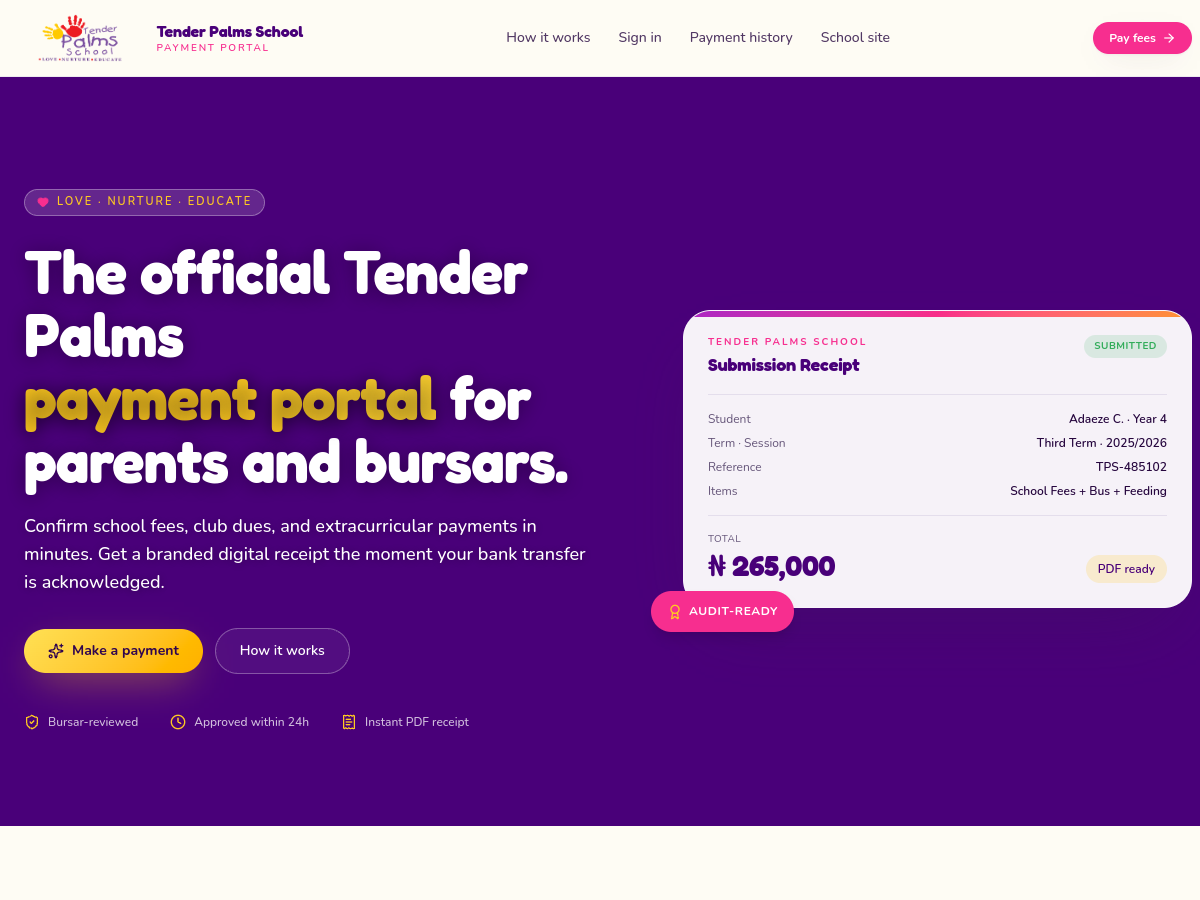 ARCHITECTURE VISUAL · PREVIEW LOADS WHEN AVAILABLE
Tender Palms
Invoice Generator
A digital invoicing and payment workflow built for Tender Palms School.
- Invoice generation
- Payment confirmation
- Receipts
- Reconciliation
- Record management
- Workflow digitisation
Web application · Structured records · Payment workflows
View projectto a connected workflow.
Job Application
Automation Platform
A proposed system for finding suitable jobs, matching them to a candidate’s profile and helping manage the application process.
- Job discovery
- Resume matching
- Job filtering
- AI cover letters
- Application workflows
- Application tracking
- Weekly reports
- Response notifications
Planned architecture · AI analysis · APIs · Reporting
View conceptPeople remain in control.
Healthcare
AI Workflow
A healthcare workflow concept focused on a practical user experience, solid backend structure and a SaaS-ready foundation.
- AI workflow architecture
- Workflow digitisation
- UX architecture
- Backend planning
- SaaS architecture
- Deployment planning
Concept scope: workflow and product design. No medical approval, clinical validation or production deployment is claimed.
Discuss conceptProject stages are stated individually. Architecture covers are labelled and are not fabricated product screenshots. Where no public project URL has been supplied, the link opens project context or a conversation—not an unverified deployment.
How the work fits together.
Here is a closer look at what we are building, why we chose each approach and where the systems still need human input.
Lightspeed Automate
AI / Business Automation / SaaS — designed around African SMEs
Business challenge
Small and growing businesses communicate across multiple channels while manually managing reminders, follow-ups, support requests and operational information. Each disconnected tool adds another hand-off.
Approach
Design a centralised automation layer that connects customer communication, workflows, data and reporting. Define events and business rules before adding AI to interpretation and response tasks.
Solution architecture
AI-assisted business automation combining communication, workflow orchestration, notifications, customer interactions, dashboards and structured data within a subscription-based product architecture.
Technology
AI workflows, n8n, APIs, WhatsApp, email, Supabase, PostgreSQL and webhooks. Integration choices depend on the final scope and operational requirements.
Designed outcome
A structured automation platform intended to help SMEs manage repetitive communication and operational workflows. A deployment status or measured business impact is not asserted here.
Tender Palms Invoice Generator
Business Automation / Education Technology
Business challenge
Invoice creation, payment confirmation and reconciliation can become repetitive administrative processes. Manual records make it harder to see where a payment stands and what needs to happen next.
Approach
Map the invoicing and payment journey, then digitise it into a structured application with clear records and identifiable workflow stages.
Solution
A digital invoice and payment management workflow created for Tender Palms School, covering invoice generation, payment confirmation, receipts and record management.
Capabilities
Invoice workflows, payment confirmation, receipt handling, reconciliation and structured records. The objective is a usable administrative process, rather than AI where simple rules are sufficient.
Outcome
A structured digital process replacing repetitive manual administration. No time-saving percentage, revenue result or financial performance claim is implied.
Job Application Automation
AI / Recruitment Automation — proposed product architecture
Problem
Searching multiple employment platforms and repeatedly preparing applications involves substantial manual work. Candidates also need a clear record of opportunities, submissions and responses.
Approach
Design a workflow around the candidate’s resume, approved job sources, matching criteria, AI-assisted preparation, application review, tracking and periodic reporting.
Proposed solution
An AI-assisted recruitment workflow for job discovery, resume matching, job filtering, tailored cover-letter drafts, application tracking, weekly reports and response notifications.
Constraints & oversight
Use authorised APIs and permitted data sources. A candidate reviews generated material and confirms submissions. Platform terms, personal data and employer requirements shape the implementation.
Product status
A product concept / proposed system. Commercial deployment, job placement results and autonomous applications are not claimed.
Your everyday operations.
A better way to run them.
The best place to start is usually the task everyone has quietly accepted as “just part of the job.”
Customer operations
- Customer enquiries
- Follow-ups
- Ticket routing
- Customer notifications
Sales
- Lead capture
- Lead classification
- Follow-up
- Sales notifications
Administration
- Data entry
- Document workflows
- Approvals
- Reminders
Finance
- Payment notifications
- Invoice workflows
- Reconciliation workflows
- Financial reporting support
Education
- Student notifications
- School administration
- Invoice workflows
- Parent communication
Human resources
- Candidate workflows
- Application tracking
- Notifications
- Reporting
Content & publishing
- Content preparation and review workflows
- Publishing workflows with approval gates
- AI-assisted content generation
AI that participates
in the workflow.
A chatbot answers questions. A workflow agent can take the next step in a defined process, use approved information and stop for a person when a decision matters.
AI chatbot
Receives a question and returns an answer. Useful for a conversation, but often separate from the business process.
AI workflow agent
Uses context and controlled actions to move work forward, while keeping decisions, permissions and results traceable.
- Receive informationAn event, document or customer request enters the system.
- Interpret itIdentify intent and extract relevant structured information.
- Retrieve relevant dataUse authorised records and approved sources of context.
- Recommend the next stepApply workflow rules and surface uncertain results.
- Prepare or trigger an actionOnly within explicitly permitted tools and policies.
- Request human approvalPause where risk, uncertainty or policy requires a person.
- Record the resultPreserve the outcome and an appropriate audit trail.
- Continue the processNotify, hand off or proceed to the next approved stage.
Keep every channel
in the loop.
Messages should follow what is happening in the workflow, rather than relying on someone to remember who needs an update.
A customer action can create a database record, send a confirmation and notify an internal team. Channel selection, consent, templates and recipient preferences are part of the logic—not an afterthought.
Communication workflows respect provider policies, approved integrations, opt-in requirements and unsubscribe preferences.
From activity
to insight.
Once the process is digital, the activity becomes easier to track. You can see what happened, what is stuck and what needs attention next.
- Collect workflow activity
- Structure information
- Update databases
- Calculate defined metrics
- Trigger exception alerts
- Generate summaries
- Update dashboards
- Produce periodic reports
Metrics are defined around your business and validated against actual records. An attractive dashboard is not a substitute for reliable data.
Make the next step visible.
Operational summaries · Exceptions to review · Scheduled reports · Actionable alerts
Automation does not
have to remove people.
We do not believe everything should be automatic. Routine work can run on its own, while decisions that need judgement stay with the right person.
Automatic
Low-risk, predictable tasks: record updates, scheduled reminders and routine notifications.
Assisted
AI prepares a draft, extracts information or recommends a route. A person checks the work.
Human approval
Important actions wait for explicit confirmation. Exceptions are routed to someone with the right authority.

Keep the judgement.Human oversight is a system feature.
Automation must
be trustworthy.
A system has to work after the demo too. We plan for access, failed steps, records, recovery and the people responsible for the system.
Protect the connections.
- Authentication and role-based access
- API security and least-privilege permissions
- Protected credentials and server-side secrets
- Webhook signature validation
- Database security and data minimisation
Plan for failure.
- Rate limits and request controls
- Clear error handling and exception routing
- Bounded retries with backoff
- Idempotency to prevent duplicate actions
- Backup and recovery considerations
Keep it accountable.
- Operational logging and monitoring
- Appropriate audit trails
- Human approval for important actions
- Data retention and access policies
- Documented ownership and escalation
Controls are selected according to the project’s risk, data and deployment context. Formal security certification, regulatory approval or compliance accreditation is not claimed.
Map it. Build it.
Keep making it better.
We start with what your team does today, then build something people can actually operate and improve over time.
- 01
Discover
Understand the workflow, its users, constraints and business purpose.
- 02
Map
Document the current process, hand-offs, inputs and exceptions.
- 03
Identify
Find repetitive, predictable tasks and decide what should remain human.
- 04
Design
Define the architecture, rules, integrations and approval boundaries.
- 05
Build
Connect APIs, workflows, AI, databases and communication systems.
- 06
Test
Test normal paths, failures, edge cases and human intervention.
- 07
Optimise
Monitor reliability and refine the workflow as operating needs evolve.
Deploy with an operating plan.
Separate test and production environments, configure secure credentials, verify integrations and prepare a controlled rollout. Documentation, user guidance and ownership support handover.
Maintain more than the happy path.
Review logs, failed runs and approval queues. Adapt to provider changes, monitor data quality and improve workflow reliability through ongoing optimisation.
Stop carrying the process.
Let the system carry the routine.
Your people should spend their time on decisions, customers and work that needs experience. The repetitive movement of information can be handled by the system.
Before
MANUAL- Receive a manual enquiry
- Copy the information
- Search the database
- Write a response
- Send an email
- Update the spreadsheet
- Notify the team
- Prepare the report
Every hand-off depends on a person remembering, copying and checking the next step.
After
CONNECTED- Customer enquiry triggers the workflow
- AI classifies the request
- Approved database lookup retrieves context
- A response is generated within policy
- Automatic notification reaches the recipient
- The workflow record is updated
- The dashboard reflects the activity
- Human review handles exceptions
The system carries routine actions. Your people handle uncertainty, judgement and relationships.
Different businesses.
Shared friction.
Whether you are starting small or connecting several teams, the problems often look surprisingly similar.
Startups
Automate routine operations without building a large administrative team before the process needs one.
SMEs
Reduce repetitive tasks and connect fragmented tools around the way the business actually works.
Education
Connect school administration, parent communication, student notifications and payment workflows.
Professional services
Streamline enquiries, documents, communication and reporting while keeping expertise in the loop.
Enterprises
Connect workflows across teams and systems with appropriate roles, approvals and auditability.
Founders
Translate an automation idea into a practical architecture, a focused MVP and a realistic delivery path.
Is your business
ready to automate?
Choose the problems that sound familiar. It is simply a starting point for a conversation.
Business thinking.
Engineering discipline.
We bring business context and engineering together, so the technology solves the problem rather than becoming another problem to manage.
+Business-first automation
We start with the process, its purpose and the bottleneck—not a preferred tool or an AI feature list.
+Systems thinking
Triggers, data, interfaces, business rules and notifications are designed as a connected system.
+AI where it adds value
Interpretation, classification and generation are useful when they address a real task. Simple rules remain useful too.
+Human oversight
Approval gates and exception routes keep important decisions under appropriate human control.
+Integration, not upheaval
We connect existing systems where practical rather than unnecessarily replacing the tools your team already uses.
+Scalable architecture
Clear workflow boundaries, maintainable integrations and structured data support future expansion.
What should your business
stop doing manually?
Tell us what keeps getting repeated, copied, chased or checked. We will look at the process with you and work out what is worth automating.
Make it your Lightspeed page.
Edit locally. Preview your changes. Export to publish in Elementor.